
Run attendance with data you can act on
StaffTrakr connects your admin console and employee mobile app — GPS attendance, shift-aware punch, leave workflows, and live dashboards in one place.
Admin registers staff → email with credentials → app onboarding → MPIN for each session
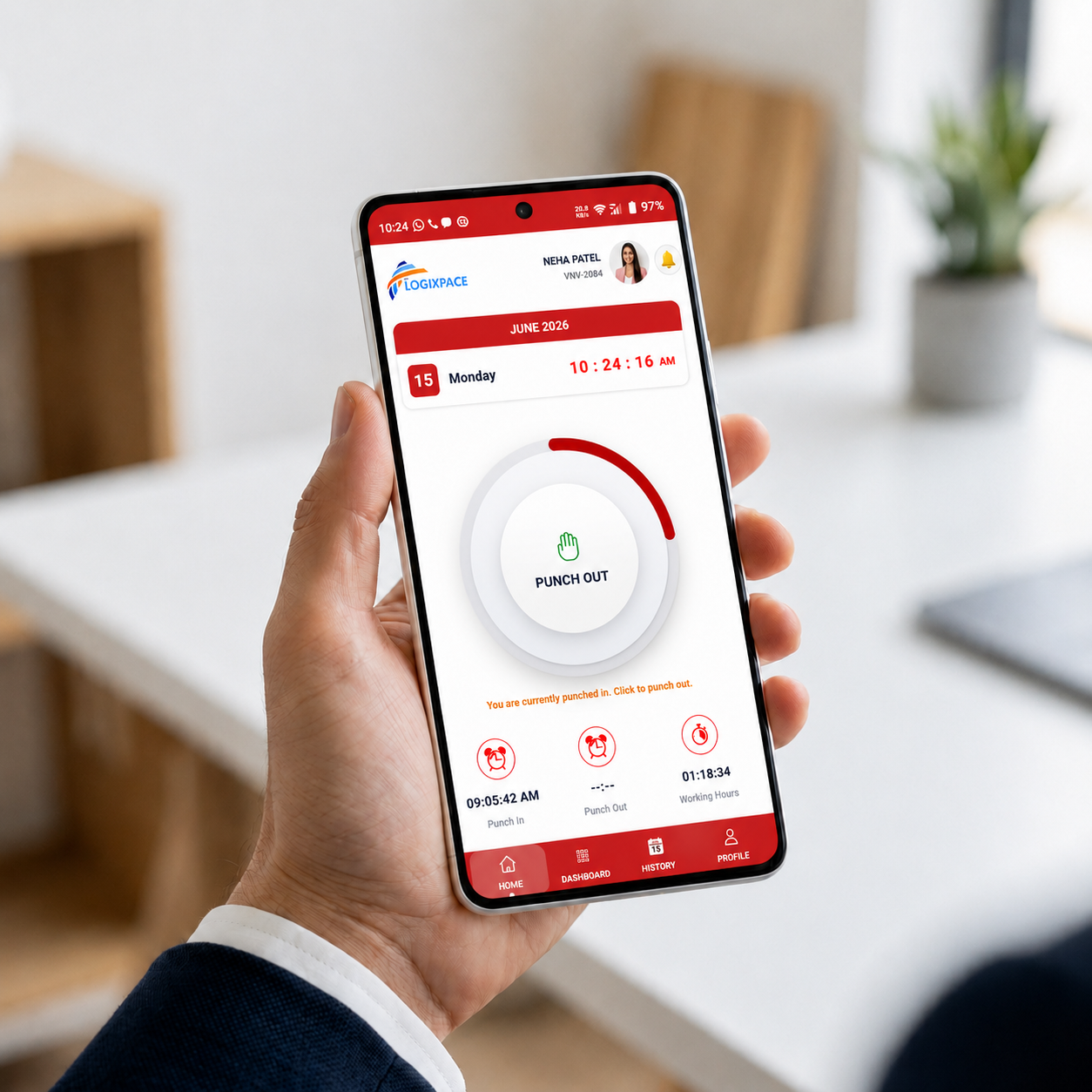
GPS Smart Punch
GPS-aware check-in that respects your geofence and shift windows.
Team status
See who is present, absent, on WFH, and what needs a manager decision now.
Manager Approvals
Leave and WFH requests are automatically routed to the appropriate manager for approval.
GPS punch
Check-in with location capture and geofence rules
Admin portal
Employees, attendance, reports, and org settings
Mobile app
Android app and mobile web for every employee
Leave & WFH
Requests with manager approval in admin or app
Two products, one loop
Admin console + employee app, designed to work together
Configure policy in the web admin; employees punch, request leave, and get alerts on mobile. The admin portal and employee app stay in sync in real time.
Admin portal
For HR, ops, and managers
- Attendance picture: present, absent, WFH, and manual entries
- Employee registration and directory
- Attendance records and operational follow-up
- WFH and Leave Requests inbox
- System management and Organisation settings
StaffTrakr mobile app
For every employee on the floor
- First-time login: domain, username, one-time password from email
- Set password (confirm), then MPIN (confirm)
- Ongoing: MPIN when opening the app; logout returns to password login
- Punch in / out with location your policy allows
- Dashboard, history, WFH requests, notifications
- Manager approval queue when the role applies
Core benefits
Value for every role in your organisation
StaffTrakr is designed so HR, floor leads, managers, and employees all work from the same source of truth.
Admin teams
- Cut manual attendance reconciliation
- Export-ready payroll data
- Centralised leave & WFH inbox
- Configure shifts and geofences once
Employees
- Transparent punch history on mobile
- One-tap check-in with GPS
- Self-service leave & WFH requests
- Live working-hours timer
Managers
- Approve requests from admin or app
- See team status in real time
- Track field staff GPS paths
- Monthly reliability insights
Organisations
- Accurate audit-friendly records
- Scales from 5 to 250+ employees
- Multi-location ready
- Subscription aligned to headcount
How it works
From signup to first punch in four clear steps
No heavy IT project — register your company, add employees, and they complete app setup on their phone.
- 01
Company signup by headcount
Choose a plan for your employee count and complete organisation signup so your tenant is ready in the admin console.
- 02
Register employees through admin
Admins register employees in the admin console. Each person gets an email to their registered address with a username and one-time password.
- 03
First login on the app
Employees install the StaffTrakr mobile app and sign in with company domain, username, and that password. They set a new password (with confirmation), then create and confirm an MPIN.
- 04
Everyday attendance
After setup, opening the app goes to MPIN. They punch in and out from there. If they log out, they return to the password login flow.
Industries
Built to support diverse industries with flexible workforce management solutions.
Why StaffTrakr
The preferred choice for modern operations
We combine reliable attendance data with workflows your team will actually use — without a six-month implementation project.
“Precision in every punch, clarity in every report.”
Mobile-first for employees
Punch, WFH requests, and alerts on the device your teams already use — no extra hardware.
Fast to adopt
Straightforward flows for admins and employees so adoption sticks without a heavy training lift.
Policy in admin, action in app
Sites, rules, and approvals live in admin; employees stay focused on check-in and requests.
Enterprise-grade security
Encrypted credentials, MPIN unlock, device binding, and secure API access for your tenant data.
Predictable pricing
Headcount-based plans with no surprise per-punch fees — upgrade when your team grows.
Dedicated support
Rollout guidance and responsive support from the VNV Logixpace team behind StaffTrakr.
Ready to modernise your attendance?
Start a free trial, onboard your team in admin, and have employees punching from the mobile app within days — not months.
- 14-day trial
- No setup fees
- Priority support